Syncby Waggle
How it works

From raw catalog to live channel feed.

One repeatable operating process, whether the change is a single field or a full catalog refresh across the estate. Each stage below is a real screen in the workspace, shown with client details anonymized.

01 / The feed layerSource → master fields → channel rules → product QA → live feed
01Connect

Point Sync at the catalog you already have.

Connect commerce platforms and catalog files over HTTP, XML, CSV, TSV, Shopify, or protected SFTP. Sync stores the credentials, pulls on schedule, skips unchanged files, and keeps every import result visible.

  • 01HTTP, XML, CSV, TSV, Shopify, and SFTP sources
  • 02Basic auth, scheduled pulls, and manual imports
  • 03Connection snapshot with the latest pull result
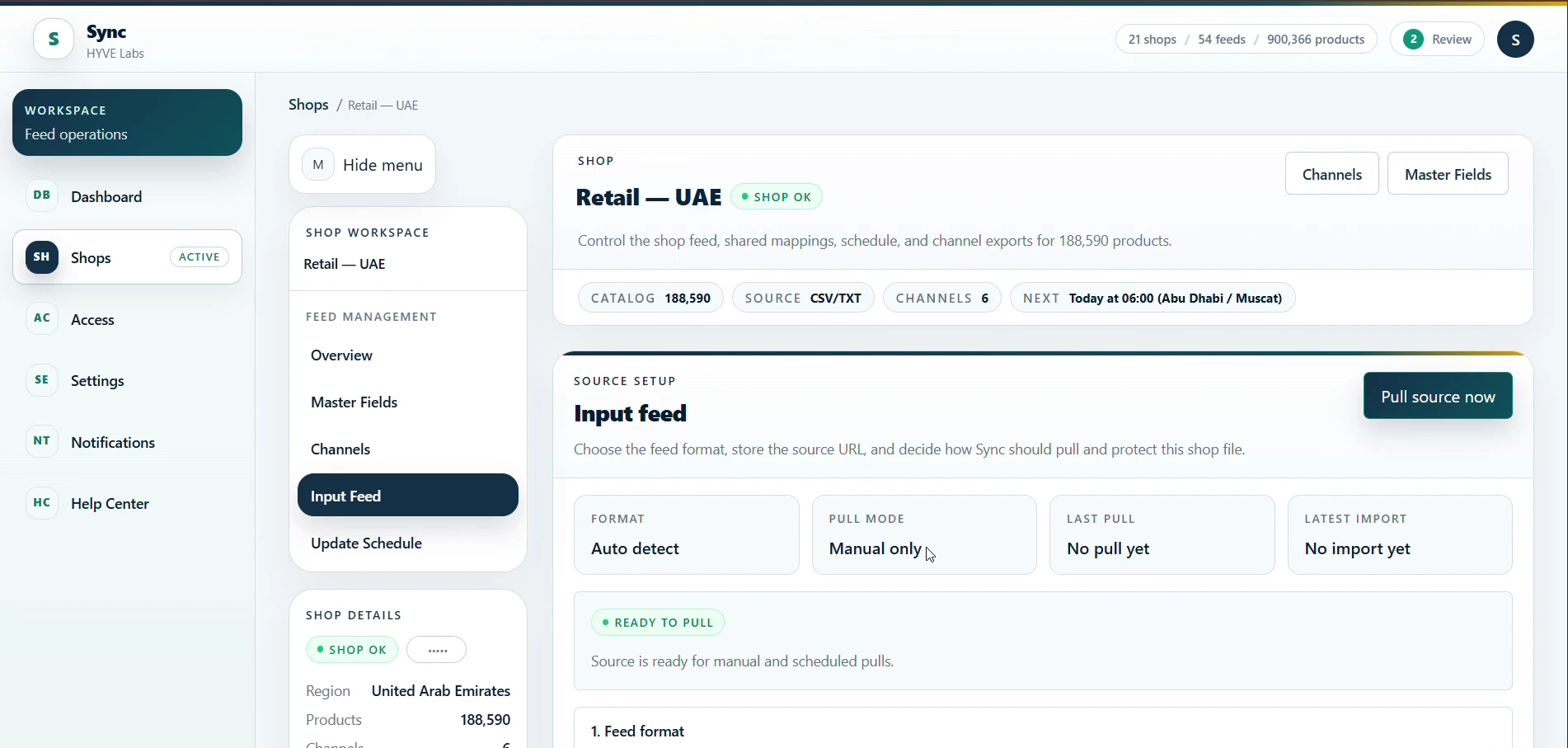
Source connection and scheduled pull
Source connection and scheduled pull— Anonymized production interface
02Transform

Write the feed logic once, reuse it everywhere.

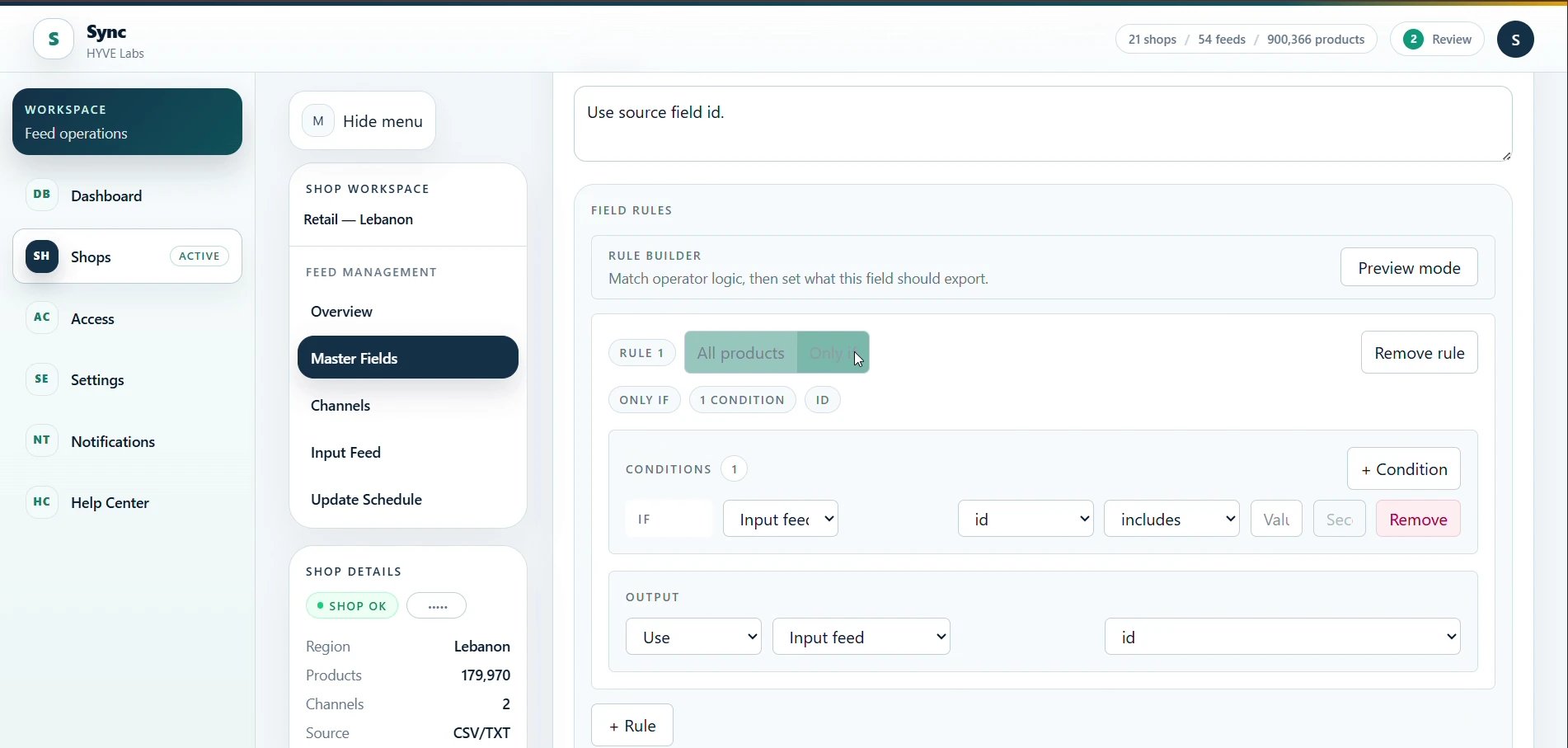
Normalize master fields at the shop level, then map them into each destination. Conditional rules, fallbacks, calculated values, and taxonomy shaping stay visible and editable, and nothing is pushed back into the source system.

  • 01Shared master fields across every channel feed
  • 02Conditional rules with an explicit otherwise branch
  • 03Preview the exact output before saving a field
Master field rule builder
Master field rule builder— Anonymized production interface
03Review

See every row a channel will actually receive.

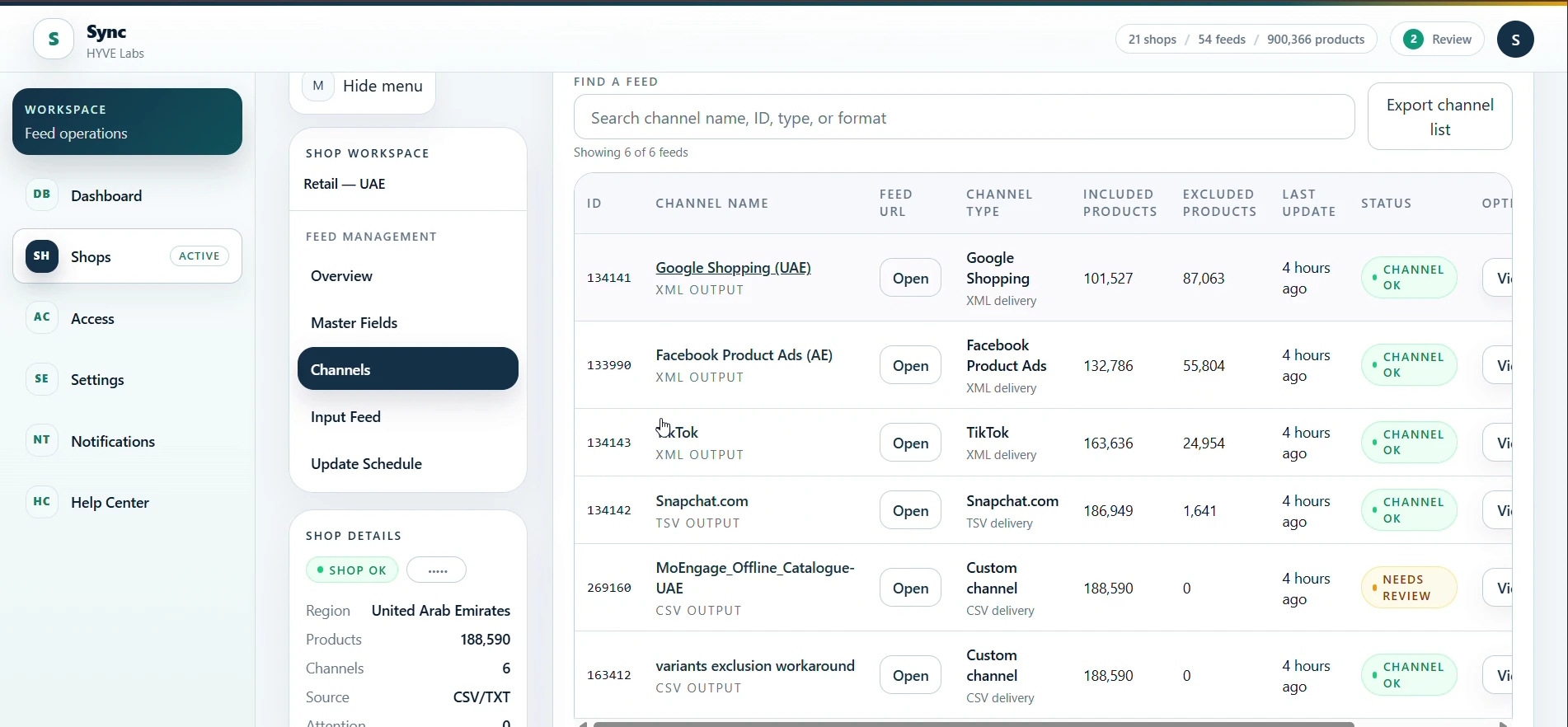
Search the generated feed by any field, compare mapped values against the source, and check why a product was excluded. Save reusable views, customize columns, and download exactly what the channel is about to consume.

  • 01Included, excluded, and all-rows views
  • 02Basic and advanced search across feed output
  • 03Include or exclude single products without touching the catalog
Channel feeds, included and excluded rows
Channel feeds, included and excluded rows— Anonymized production interface
04Publish

Ship the feed, then keep it healthy.

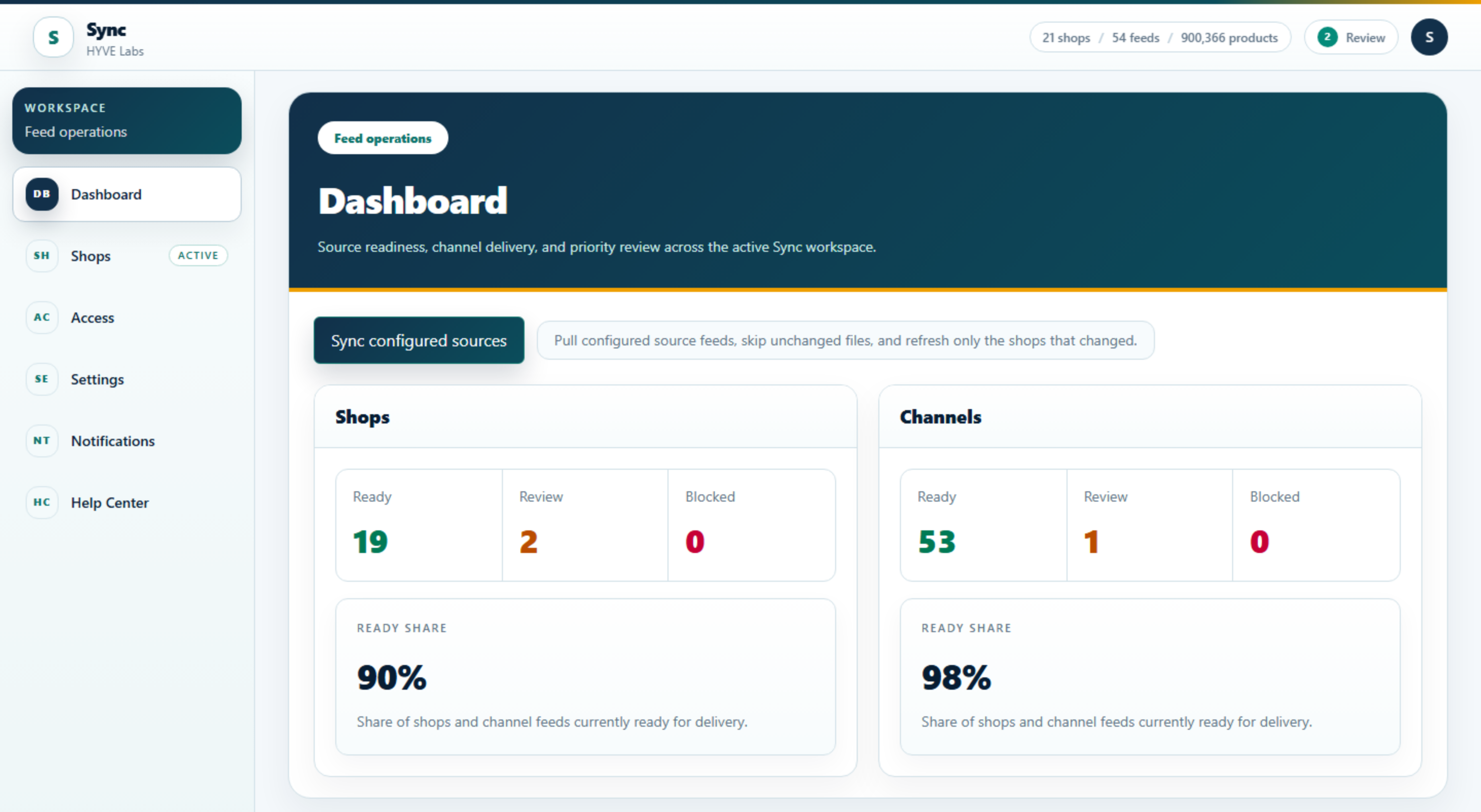
Sync regenerates feeds on schedule, during campaign windows, or on demand, and serves live XML, CSV, and TSV endpoints. The dashboard tracks source readiness, channel delivery, and anything waiting for review before the next push.

  • 01Live endpoints per channel, refreshed on cadence
  • 02Campaign windows and on-demand runs
  • 03Last valid feed stays online if a refresh fails
Feed operations dashboard
Feed operations dashboard— Anonymized production interface

The capabilities behind each stage

See it on your catalog

Bring one source. We will show you the feed.

We review the current setup, pick the first migration candidate, and agree the validation plan before anything is switched over. Nothing moves until the generated output matches what you expect.